


When offers change day to day within advertising campaigns, running a script to fix the main headline daily can be the difference between a “beautiful idea on paper” and a “message that reaches the audience at the right time” without relying on repeated manual intervention.
Key Takeaways from Managing This Type of Campaign
In our practical experience with PPC campaigns that require changing headlines (discounts, weekend offers, or product launches), we noticed that the issue is usually not with the quality of the ad, but with the consistency of the main offer over time. Sometimes the headline appears correctly at the start of the day but is then automatically replaced due to updates or rules within the system. This is where we began to adopt running a script to fix the main headline daily as a safety layer: we identify which offer is the “main headline” for that day and then ensure it stays in place throughout the day even if the rest of the content changes.
This approach makes it easier for us to manage multiple accounts or ad templates and reduces the “forgotten update” cases that directly affect engagement. It also helps us shift decisions from personal intuition to behavior that can be measured daily, as the script provides a clear control point.

What Does Fixing the Main Headline Daily Mean?
By “fixing the main headline,” we mean that a specific element (headline/offer/message) stays at the forefront of the content or within the ad space that displays the core message. In Google Ads contexts, this may be part of dynamic texts or template components affected by daily updates from a data source.
The idea is simple: instead of letting the order of the offer change with each internal update, we choose the most important offer for that date and fix it. When adopting daily script execution, it becomes a stable operational habit within the workflow.
How Do We Approach Script Design?
Before writing any script, we always start by defining the “clear area”: what is the offer we are fixing? Where do we take its value from? And where is the fix applied? When the answers are precise, the execution becomes quick and the likelihood of errors decreases.
1) Identifying the Source of the Main Offer
Typically, the source of the main offer is one of three: an internal database, a settings file updated daily, or a block of content tied to campaign rules. What is most important for us is that the source leaves no room for interpretation: if the value does not match the “current day,” it should not be fixed.
2) Choosing Fixing Criteria
Fixing is not just about “assigning a value.” We link it to two criteria: display location and when it is applied. If we apply the fix too late, it may miss displaying the offer to part of the audience based on scheduling or caching within the system.
3) Updating Settings Instead of Adding Complex Logic
From our experience, it’s best to make the script changes “small and clear” to the existing settings rather than rebuilding the template completely. This reduces the risk of disrupting other elements in the ad and makes monitoring easier.
In our case, when running the script, we perform the following steps:
- Retrieve the current offer from the specified source for the day.
- Fix the offer so that it appears at the top of the ad/content space according to the established rules.
- Log the execution with the reason for the success/failure of the fix, so we know whether the correct offer was scheduled for the day or not.
If you have campaigns that change frequently or a multi-person team, having a “daily log” from the script helps you quickly diagnose any deviations.

Scheduling Execution: When Do We Run the Script Daily?
Scheduling is the difference between an “effective fix” and a “fix that arrives after the offer has expired.” We choose a fixed execution window (e.g., after midnight in your account’s timezone or before the start of daily activity) based on the nature of the campaign.
When scheduling execution, we recommend timing your setup based on:
- Your account’s time zone and campaign settings.
- The time when the data source update occurs from which the offer is derived.
- The expected time for applying modifications within the system before peak display.
This way, running a script to fix the main headline daily becomes a “timely guaranteed” process and not just random execution.
Measuring Impact: How Do We Know That Fixing Improves Performance?
We don’t rely on impressions alone. Once we start running the script, we monitor specific metrics directly related to the main headline message:
- CTR to see if the fixed offer attracted more attention.
- CR (Conversion Rate) to assess if the right headline or offer led to goal completion.
- Change in performance compared to before the fix within the same measurement period to minimize the impact of other factors.
And since the final decision is always “Is the return from this fix worth the effort?”, we use a ROI framework to evaluate cost/return. The following image reminds us of the equation upon which we base our evaluation:

If you want to strengthen your measurement approach and relate results to numbers, check out 2024 Game-Changer Lessons for Explosive Growth to understand how to turn learning into actionable decisions in campaign management.
Real-World Practical Examples
Imagine a campaign promoting a single product, but the price or description changes daily based on stock. When managed manually, a simple mistake might occur: the headline shows an old price or the weekend offer isn’t fixed. With the script, the daily headline is pulled and fixed automatically according to the “state of the day.”
We also use this approach in campaigns with multiple messages within the template; instead of letting random switching decide what shows first, we make the “main headline” the priority option.
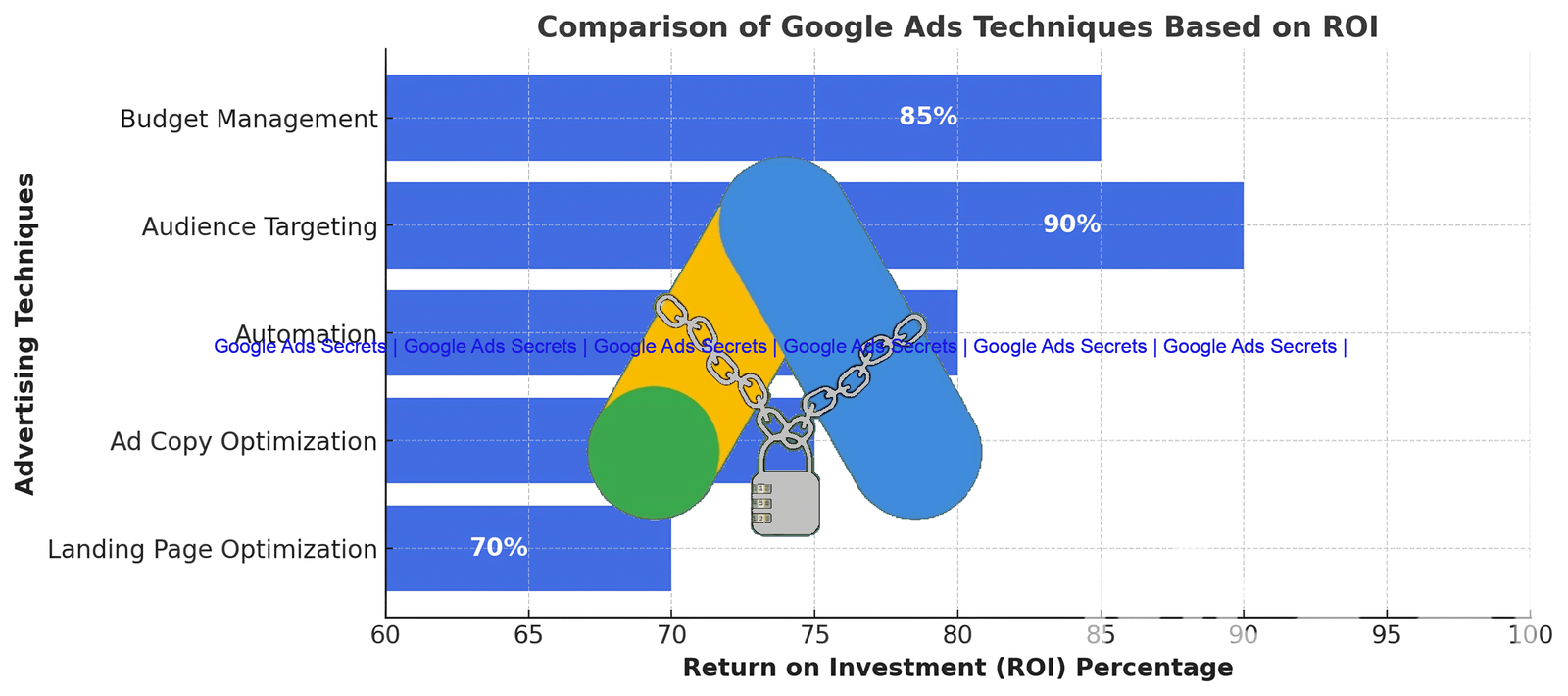
We measure the result at the campaign level and then decide whether to expand the fix to include more elements (with caution) or keep it to the main headline only.
Improving Campaign Settings Through Fixing
When the main offer is fixed and specific, the opportunity to test additional messages becomes more logical: because we can isolate variables. We typically keep the main headline “protected” by the script and then run an A/B test or adjust secondary offers outside the scope of the main headline.
The result: cleaner data and quicker decisions. If you want a practical way to design ad texts compatible with the psychology of interaction, check out Google Ads Tip #1 Do Not Launch a G Campaign to improve ad engagement before you expand automation.

Where Might Fixing Fail? How Do We Avoid That?
The two most common reasons we see for failure are: relying on a data source that is incomplete before execution time, or using a fixing logic that does not align with the structure of the template/settings. Therefore, we put a “check” before application.
Automating the Daily Workflow: From Script to Continuous Operation
In our early days, we focused only on “fixing.” But over time we understood that the value of automation comes from continuity and monitoring. Therefore, it’s not enough for the script to work; we need a system that answers three daily questions: Was the offer fixed? Was the offer the correct one? Were there execution errors?
This is why we prefer running the script as part of a clear operational routine rather than treating it as a last-minute solution.
Related Trends in Fixing and Automation for 2026
As advertising systems evolve and management and measurement tools improve, relying on manual steps in “switching the most important offer” becomes more of a burden than necessary. In 2026, we anticipate an increased importance of control layers that protect the main message and allow you to expand testing without losing consistency.

And because fixing doesn’t exist in isolation, linking it to audience insights and continuous improvements yields better results. For example, if you use audience observation techniques, having a fixed headline helps make the message more consistent across different segments.
Conclusion and Call to Action
If your goal is to have your most important message always front and center, then running a script to fix the main headline daily is a practical operational step that combines consistency, error reduction, and improved measurability. Start by implementing a simplified version: identify the correct offer for the day, fix it according to a fixed execution window, and then monitor CTR and CR over several days to make an expansion decision. When you make fixing a daily habit, optimizing your performance becomes easier and faster.
Most Common FAQs
Can running a script to fix the main headline daily be used with multiple campaigns within the same account?
Yes, but we recommend designing the script based on a “reusable logic unit” with different settings. Practically, we make sure each campaign or ad group has a clear definition: what is the appropriate main headline for it, where it gets fixed, and what the execution timing is. This way, the rules of two campaigns do not overlap, and the results remain cleanly measurable.
What is the best way to ensure that the fixed offer is indeed the correct one for the current day?
Our best method is to tie the fixing process to a verification condition before application: check the offer date or an “expiration” flag coming from the source (like the validity date or the offer ID for the day). If the verification fails, we stop the fixing or reuse the last correct offer, then log the event for reference. This reduces errors in fixing the old value that directly impact performance.
How do we know that the impact is due to the fixing and not other factors like budget or ad changes?
We monitor indicators with time-based comparisons as much as possible: before/after within the same time period of the day, and without significant simultaneous changes to the budget or targeting. We also use a consistent operational behavior: fix the main offer with the script, and then adjust only one element at a time. With several days of data, the reading of the fixing impact becomes more reliable.