


If you’ve ever watched a Google Ads budget drain faster than expected, you already know the pain—then a Google Ads Cost Cap can be the difference between “learning” and losing money while the algorithm bids without guardrails. In this guide, we’ll show what we’ve learned from managing cost-control campaigns, the exact workflow we use to set the cap, and how to pair it with conversion-focused changes so you protect spend without sacrificing performance.
What We Learned Running This Type of Campaign
When we start a new campaign, we don’t assume the auction environment will behave. Competitors can change bids daily, device mixes shift, and your own conversion rate can swing based on traffic quality and landing page experience. That’s why we treat a Google Ads Cost Cap as a control lever, not a “set it and forget it” button. The first few days are about collecting signals, and the cap is what keeps those signals from coming at an inflated cost.
We also learned that a cost cap isn’t only about stopping overspending—it’s about creating stability so you can evaluate your results accurately. When CPCs spike wildly, your performance data becomes noisy. With a well-chosen cap, the numbers tighten up and decisions become clearer: which ads resonate, which landing page sections convert, and which audiences are worth scaling.
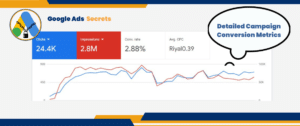
Google Ads Cost Cap: How It Helps You Stay in Control
A Google Ads Cost Cap is designed to limit what you’re willing to pay in a given context so your spend is less likely to run away. In practice, the auction can still vary, but the cap acts like a boundary for your bidding behavior—helping the system optimize while respecting your cost tolerance.
Here’s the common failure mode we see without a cost cap: campaigns start strong, CPCs are acceptable, then performance “drifts” after the system finds additional inventory. The algorithm may bid more aggressively to win auctions, especially when the signals it receives suggest that extra clicks could produce conversions. If conversion rate doesn’t increase proportionally, your ROI drops fast.
With a Google Ads Cost Cap, you’re telling the platform: “Yes, optimize—but do it within a cost boundary that makes financial sense for our business.” That’s why cost control matters most when competition is volatile and when you’re still learning what converts for your account.
One important note from our experience: the cap works best when you’re not forcing the system to guess in a vacuum. If your ads and landing pages are weak, a cost cap can limit waste, but it can’t create conversion rates out of thin air. That’s why cost control and conversion improvements need to move together.
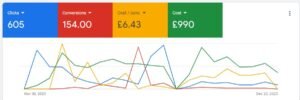
Setting Up a Google Ads Cost Cap (Step-by-Step)
Below is the workflow we use when we implement a Google Ads Cost Cap. It’s built to reduce overspending, protect learning time, and support conversion-focused bidding after the campaign has enough signal.
- Start with a discovery phase: we begin with a bidding approach that gathers performance data efficiently while we observe what the account actually pays per click. This is where we validate that traffic quality and conversion behavior exist, not just that clicks are happening.
- Collect performance data before finalizing the cap: we monitor metrics like click-through rate, conversion rate, and average cost per click for enough days to see patterns. Day-to-day auction variation is real, so we avoid setting the cap immediately if the account is still stabilizing.
- Choose an initial cap based on your baseline CPC: we look at your current average CPC and then set a cost cap slightly above it. The goal is to allow optimization room without removing the financial guardrail. If the baseline is too low, you can throttle delivery; if it’s too high, you lose the protection you wanted.
- Align bidding with your conversion goal: once we’ve established a reasonable cost boundary and the campaign is producing conversion signals, we shift toward a conversion-focused objective. The cost cap continues to act as a constraint so the system doesn’t chase marginal inventory that costs more but doesn’t convert.
- Review and adjust regularly: we revisit the cap when competition changes, when your landing page improves, or when conversion rates stabilize. A good cost cap is dynamic in practice—it evolves with performance.
After you apply the cap, you should expect gradual improvements rather than instant miracles. If the cost cap is set sensibly, you’ll often see CPC compression and steadier spend, which makes conversion rate optimization easier to interpret.
What Numbers We Watch Most After Setting the Cap
In the days following a Google Ads Cost Cap change, we prioritize three checks:
- Is spend behaving? we confirm that daily spend patterns match the guardrail we intended, not just the target itself.
- Is conversion rate improving or staying stable? if conversion rate drops, you may be restricting the campaign too tightly or sending traffic to a landing page that can’t convert.
- Are you winning the right auctions? we look for signs that the campaign is not just buying cheaper clicks, but buying clicks that lead to meaningful actions.
When those three areas are healthy, the cost cap becomes a reliable foundation for scaling.
The Risks of Not Using a Google Ads Cost Cap
Without a Google Ads Cost Cap, it’s easy to lose track of what the algorithm is willing to pay. Here are the problems we see most often when teams don’t use cost controls:
- Budget overshooting: bids can escalate beyond your comfort zone, causing spend spikes that are hard to reverse quickly.
- Lower ROI: high costs with weak conversion outcomes dilute profitability, even if click volume is high.
- Misleading performance signals: CPC volatility can mask what’s actually working. You may attribute improvements to the auction, not to your creative or landing page.
- Long recovery cycles: when overspending happens, it often takes time to stabilize conversion behavior and regain efficient delivery.
We’ve also noticed a pattern: once teams get used to paying “whatever it takes” for clicks, they stop treating CPC as a diagnostic metric. A cost cap forces discipline again.
To keep your bidding logic from drifting, it helps to pair cost control with structured campaign thinking. For example, if you’re still refining how you observe and respond to audiences, this guide on google ads tip 2 audience observation zero cost tremendous benefits can help you build signal efficiently without wasting spend.
Important warning: Don’t set a cost cap purely from a guess. If the cap is too low, you may restrict delivery so tightly that the algorithm can’t find enough converting inventory—leading to fewer conversions and a false belief that “the campaign doesn’t work.” Use your baseline CPC and monitor delivery quality after the change.

Benefits of Implementing a Google Ads Cost Cap
When the Google Ads Cost Cap is set correctly, it can deliver practical benefits across the entire optimization cycle:
- Controlled spending: you reduce the chance of sudden CPC inflation driving uncontrolled daily costs.
- Cleaner testing: steadier costs produce clearer readouts for ads, audience segments, and landing page changes.
- Better alignment with ROI: you make it easier to compare performance against your target economics, not just against traffic volume.
- More predictable scaling: when costs stay within a reasonable range, scaling decisions become less risky.
Another benefit we value is operational: teams can plan budgets more confidently. Instead of reacting to runaway spend, you’re proactively setting boundaries that keep learning and optimization efficient.
Real-World Example: Preventing Budget Depletion
Imagine a campaign targeting a competitive service keyword. Early on, average CPC might look manageable. Then the system finds more auctions and begins pushing bids higher to capture additional clicks. If those extra clicks don’t convert at the same rate, your cost per acquisition rises quickly and your budget disappears.
By applying a Google Ads Cost Cap slightly above your baseline CPC, you keep the system from overbidding in ways that don’t translate into conversions. The result is often a more stable flow of qualified traffic, improved conversion efficiency, and reduced volatility in spend—especially during the period when you’re still refining ads and landing pages.

Integrating Google Ads Cost Cap With Other PPC Improvements
A cost cap doesn’t replace optimization—it supports it. In our experience, the best results come when you combine Google Ads Cost Cap with improvements that directly influence conversion rate and ad auction efficiency.
- Strengthen ad relevance: tighter messaging and stronger creative can reduce wasted clicks. When your ads match user intent and clearly communicate value, the system can often achieve better performance within the same cost boundaries.
- Improve landing page conversion: if your landing page is slow or unclear, cheaper clicks won’t help much. Make the offer easy to find, reduce friction, and align page content with the promise in the ad.
- Run structured performance audits: look for search terms that drive spend without converting, and tighten what you allow to scale.
- Use conversion-focused learning wisely: avoid major changes too frequently right after implementing a cost cap so the campaign has time to reflect the new bidding constraint.
If you want a sanity check on common bidding pitfalls and how platforms can “pull” your assumptions away from reality, read google ads tip 3 google ads fools you. It’s a helpful reminder that performance charts can mislead when you don’t control cost behavior.
Pro tip: After setting your Google Ads Cost Cap, adjust one major element at a time. We usually pair cost cap changes with either landing page improvements or ad copy iterations—never both at once—so you can clearly tell what moved conversions and what moved costs.

Leveraging Automation for Cost Cap Management
Once you’re past the initial setup, automation can help you manage the Google Ads Cost Cap without constant manual intervention. We typically use automation for monitoring changes and identifying when the cap should be reviewed based on performance shifts.
For example, if you see conversion rate improving while CPC stays below the cap, you may have room to tighten and push efficiency. If conversion rate drops after a cost cap change, you likely need to revisit the cap level or check whether your landing page and offer are matching the traffic you’re buying.
Automation is especially useful when campaigns run for long periods. But it still needs a human “control point.” We recommend using automated checks as alerts, then confirming the story behind the numbers before making the cap more restrictive or more flexible.
If you’re wondering when certain conversion-focused bidding approaches don’t match your situation, this resource on google ads tip 4 when maximize conversions doesnt make sense is a strong guide for deciding the right objective to pair with a cost cap.
Case Study: Successful Implementation of Cost Cap
We’ve supported accounts where campaigns were spending aggressively with high CPCs and low conversion rates. The result was obvious: the budget went fast, and the business impact didn’t scale.
After implementing a Google Ads Cost Cap aligned with their baseline CPC, spend became steadier and CPC stopped climbing in unproductive ways. Then we focused on improving ad messaging and landing page conversion clarity. The outcome was improved conversion rate and reduced overall CPC—so the account could spend with more confidence rather than chasing expensive clicks.
This is why a Google Ads Cost Cap matters: it creates room to optimize creatively and strategically, instead of fighting auction volatility.

Conclusion & CTA
Managing costs in Google Ads is not about being “cheap”—it’s about being consistent and financially intentional. A Google Ads Cost Cap gives you that control by limiting how much you pay while still allowing optimization to find converting inventory. When you combine cost control with stronger ads, a better landing page experience, and thoughtful performance reviews, your campaigns become easier to scale and simpler to troubleshoot.
If you want steadier budgets, clearer data, and more predictable ROI, start by implementing a Google Ads Cost Cap using your baseline CPC, then adjust it based on real conversion behavior. That’s the fastest path to spending smarter in PPC.

Frequently Asked Questions
What is a Google Ads Cost Cap, and when should I use it?
A Google Ads Cost Cap is a bidding control that limits the amount you’re willing to pay in the auction context, helping prevent runaway CPC and budget overspending. We recommend using it when auctions are competitive, when you’re still collecting conversion signal, or when you’ve seen CPC spikes that reduce ROI. It’s most effective when your ads and landing page are already capable of converting, because the cap controls cost but doesn’t replace conversion quality.
How do I choose the right cost cap value without throttling delivery?
Start with your account’s baseline CPC (or the CPC from the segment you’re testing) and set the cap slightly above it to allow optimization room. After implementation, monitor spend behavior, conversion rate, and whether delivery volume changes dramatically. If conversions drop and impressions/clicks fall sharply, your cap is likely too tight. If CPC remains near the cap constantly without conversion improvements, the cap may be too high or your landing page/ad message may not match the audience quality.
Can I combine a Google Ads Cost Cap with conversion-focused bidding strategies?
Yes. In fact, that’s one of the best ways to use a Cost Cap: apply a cost boundary during the learning and optimization phase, then align the bidding objective to your conversion goal. The cost cap helps the system avoid paying too much while it focuses on actions that matter to your business. Just be sure to adjust only one major variable at a time so you can measure what truly improves conversions and profitability.
Stay connected with us on LinkedIn for the latest updates and expert SEO tips.